
Most business owners can tell you, almost to the dollar, what they spend on software. Very few can tell you what they spend on the manual work happening between those tools. That second number is usually the bigger one, and it never shows up on an invoice.
It shows up in other places. In payroll hours spent copying data from one system to another. In the lead that went cold because someone forgot to follow up. In the Monday reconciliation that takes two hours and produces the same answer every week. Real money, quietly leaving the building.
Industry research puts administrative overhead at 10 to 15 percent of annual revenue for service businesses. For a company doing $500,000 a year, that is $50,000 to $75,000 going to work software could do in the background. Not to growth. Not to hiring. To busywork.
There is a name for fixing it: business process automation, or BPA. It means handing the repetitive, rules-based work to software so your team never touches it again. This post maps where those hours actually go, what BPA can take off your plate, and what it looks like when the time comes back.
The Hours Nobody Tracks
Look at your payroll and you see one number. What you do not see is the split inside it: how much pays for judgment, creativity, and client work, and how much pays for data entry, form-filling, and copy-paste between two systems that both have APIs and have never been introduced.
Research from McKinsey and Asana puts the share of knowledge-worker time spent on repetitive, automatable tasks somewhere between 20 and 30 percent. For a five-person team at an average $60,000 salary, that is $60,000 to $90,000 a year in payroll aimed at work a properly built workflow could run on its own.
Most owners do not file it under "cost." They file it under "operations," and the line between "how we run" and "what we are losing" blurs once a process has felt normal for long enough. Ask how long it has been done this way and the answer is almost always "since we hired the second person," which is another way of saying it has never been reviewed.
So the first move is not building an automation. It is auditing where the hours actually go. The number that comes back is usually uncomfortable, which is exactly why it is worth finding. Once you have the number, the next question is where to start with automation, and that question has a more specific answer than most owners expect.
Every Manual Step Is a Place Something Can Break
Manual work costs time. It also costs accuracy, and that bill is harder to see.
Every time data moves by hand, from an intake form to a CRM, from the CRM to billing, from billing to a spreadsheet, the handoff is a chance for a transposed digit, a skipped field, or a record created twice. Or never created at all.

Where the error lands decides the damage. A mistyped email means a lead never gets the follow-up sequence. A missed CRM entry means a deal gets double-counted in the forecast. A billing slip means an awkward call with a client about a charge they already paid. None of it shows up in a report labeled "manual errors." It shows up as service issues, soft pipeline numbers, and quiet half-hour fixes that always take longer than getting it right the first time would have.
Automated transfers do not just move faster. They move the same way every time, the same fields in the same format, without anyone double-checking which row they grabbed.
It's Not Just the Hours. It's What the Hours Could Be.
This is the part the ROI calculators miss.
When someone spends three hours every Monday rebuilding the same report, those are not three hours of cost. They are three hours that did not go to a client, a pipeline review, a sales call, or the interview for the hire that keeps getting pushed. The return on automating is not only the hours saved. It is what those hours turn into.
What the math actually looks like
You can run this on a napkin. Take one person earning $60,000 a year. Fully loaded, call it $30 an hour. Now count the hours going to work software could do:
- A $60,000 salary, fully loaded, runs about $30 an hour
- Five hours a week on automatable tasks is $150 a week
- Over a year, that's roughly $7,800 for one task, one person
Here is the part the calculators skip: that $7,800 is a bill you pay every year. The automation that removes the task is usually a one-time build, not a new salary line. So the real comparison is not $7,800 against another $7,800. It is $7,800 a year, every year, against a cost you pay once. Even at a few thousand dollars to build, it tends to clear its own cost inside the first year, and after that it is almost pure recovered time. Multiply by the three or four people doing similar work and it stops being a rounding error.
I worked with a Coral Gables insurance agency whose 20+ producers wrote business across more than ten carriers. Each carrier changed its guidelines a few times a month and sent the updates a different way: a spreadsheet by email, a download link, a portal login. Nobody could hold the current rules for ten-plus carriers in their head, so producers guessed or chased portals mid-quote, and one person lost 8 to 20 hours a month just collecting the changes. We built one searchable knowledge base that keeps every carrier's current guidelines in a single place. Here is exactly how that agency turned ten-plus carriers into one source of truth. Two months later, policies under management were up 12 percent. Not because anyone got better at selling. Because they finally had the time and the answers.
The manual process almost always costs more than the automation. The only real question is what finally makes someone map it out.
The Process That Works Is the Most Dangerous One
The workflows that get automated are rarely the broken ones. Broken things get fixed. The expensive ones are the workflows that work well enough that nobody questions them.
The daily email export someone processes by hand. The onboarding checklist that lives in one person's head and gets done right about 80 percent of the time. The approval that routes through a single inbox because that is where it started. "Good enough" processes scale the worst. They are fine at three people and a bottleneck at eight, and three years later the same person is still doing the same task by hand, just three times as often.
Here is a common business automation example: two spreadsheets tracking the same data, one built by accounting, one by operations, neither team aware the other exists, someone reconciling them by hand every Monday. The fix is usually under two hours to build. The manual version has been running for three years.
Automation is not about replacing the process. It is about making the process stop depending on one person having a good morning.
How to Find What's Actually Costing You
You do not need a consultant to start. You need a sheet of paper and an honest hour with your team.
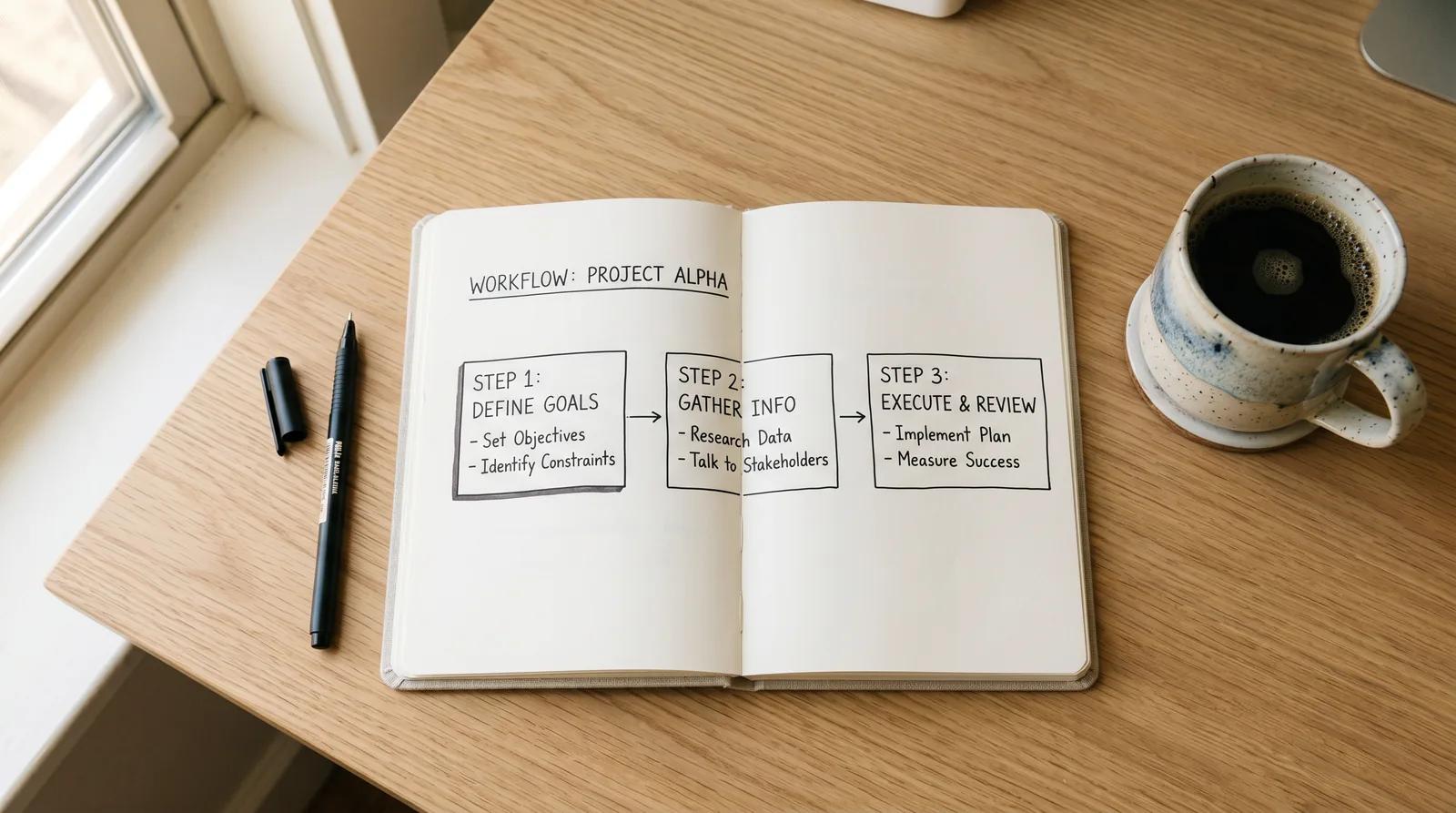
For every process that runs more than once a week, ask three questions:
- What triggers it? A form, an email, a calendar event, the clock hitting 9 AM.
- What happens next, step by step, and who touches it?
- What breaks if that person is out for a week?
The third question is the tell. A process that stops when one person goes on vacation is not a process. It is a dependency, and dependencies cost you whether or not you have ever measured them.
Map the workflow and the automation question mostly answers itself. Most service businesses have three to five processes that hit all three marks: high frequency, a predictable trigger, and one person holding it together. Start with the one that runs most often and needs the least judgment, usually lead follow-up, client intake, or weekly reporting. Build it. Watch it run. Then move to the next.
One warning. It is tempting to skip the boring work and jump straight to AI. Resist it. Most companies are failing at AI for a predictable reason: they bolted it onto processes that were never automated or even mapped. Automate the busywork first. AI is far more useful sitting on top of systems that already run cleanly.
If you would rather not start from a blank page, our free automation assessment asks four questions and points you to the processes likely costing you the most.
The Bottom Line
The cost of manual work never announces itself. It hides in payroll, in error correction, in the deals that went quiet when a follow-up slipped, in the report that took three hours and could have taken three minutes.
Most businesses that start automating say the same thing afterward: they wish they had done it sooner. Not because the technology impressed them, but because the hours that came back went to work that actually moved the business.
If any of this sounds like your Monday morning, a 30-minute conversation is enough to find exactly where the cost is hiding. Book a free discovery call and we will map at least three processes worth automating. No commitment, just clarity. Azuretech builds the automation that gives South Florida service teams their hours back, one workflow at a time.
If that hidden cost has you thinking about adding someone to payroll, run the decision first. Here is how to tell whether that role is really a system.