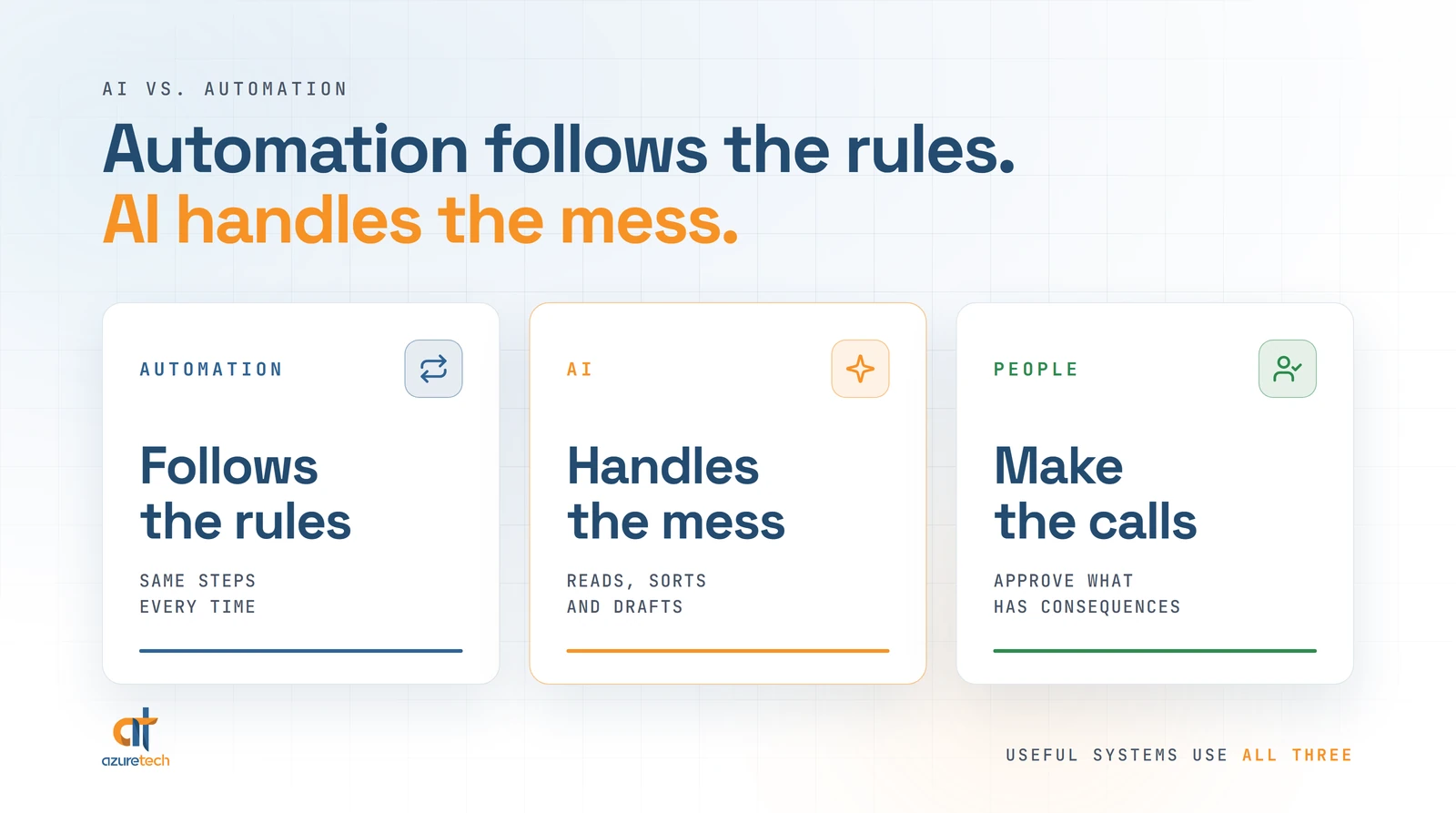
Automation follows the rules you give it. AI takes on the messy parts rules cannot handle, like an email written in a hurry or a document nobody labeled. Automation moves information from one place to the next the same way every time, while AI reads that information, works out what it means, and writes something back. Then there is the third piece, the decisions that need human judgment, and those stay with your people. The real value shows up when AI and automation work together around those decisions, and that is the part most businesses have not set up yet.
Most small businesses that use AI today use it as a personal assistant for drafting and summarizing, not as part of how the work actually runs. In the U.S. Chamber of Commerce Foundation's Main Street AI Monitor, run with Ipsos, 64% of small business workers who use AI said their main use is personal productivity, like drafting, summarizing and brainstorming. Just 6% said they use it to automate workflows with minimal human involvement.
The easiest way to see the difference between the two is to take one familiar job and pull it apart.
The Paralegal Who Became the Receptionist

Picture a small law firm with one attorney, one paralegal and no receptionist. Nobody planned it, but over time the paralegal has become the front desk. She answers the calls, books the appointments and manages the attorney's schedule. Documents arrive from clients and from the courts, and she files each one into the right matter in PracticePanther. Nobody ever hired her to run the front desk. The job just showed up one day and stayed, the way a stray cat decides it lives at your house now.
Swap the court notices for insurance forms or purchase orders and you may recognize someone in your own office.
She should never have been doing that job in the first place, because every hour at the front desk is an hour not spent on work that needs a paralegal. So what would it take to hand the front desk to software? Answering that question is the fastest way to see where automation ends and AI begins, and which parts of the job should stay with her.
The Parts That Follow Rules Belong to Automation
Start with the parts of her day that follow the same steps every time. A client books through a scheduling link, the calendar updates, the confirmation goes out, and a reminder goes out the day before. A court notice arrives from the same sender in the same format, and the attachment gets saved under the matter with a note of when it arrived.
That is automation: a set of instructions that runs without you, the same way, every time the trigger happens. It never gets tired and it never gets creative, which is exactly what you want from it. We walked through a full example in our post on whether automation really saves your team time, where a mortgage bank's disclosure documents now generate and send themselves after one checkbox.
The trouble is how much of her day does not follow rules. A client emails, "hey can we move Thursday to whenever works for you, also the address changed." That is a reschedule, an open question and an address change in one sentence, and no rule you wrote last spring saw it coming. A scanned letter shows up with no case number anywhere on it. The phone rings, and the caller could be a new client, a current client or a vendor, and the only way to know is to listen.
The Messy Parts Belong to AI
This is where AI comes in. In the sense most people mean today, AI is the language tools: ChatGPT, Claude, Gemini and Copilot, and their strength is exactly that messy input. AI can read the rescheduling email, understand that the address changed too, and draft a reply that sounds like a person wrote it. It can read the scanned letter and work out which client, which matter and what kind of filing it is. An AI voice agent can answer the phone, ask what the caller needs, and tell a new case from a current client.
But AI on its own stops at understanding. In a chat window, it can read the letter without filing it and draft the reply without sending it, and someone still has to carry each answer to wherever it belongs. I think about AI in levels, from a chat window that only knows what you give it, all the way up to AI wired into the workflows that run the business. The model can be identical at every level. What changes is where it lives and what it is connected to.
What If Both Worked Together?

Now put the two together at that front desk. When a court notice arrives, AI reads it and works out the client, the matter and the type of filing, and automation saves it to the right place and logs it. The rescheduling email gets a drafted reply with new times, and the calendar updates itself once the client confirms. After hours, an AI agent picks up the phone, figures out what the caller needs, and books a callback with the attorney for the next morning.
Anything the system is not sure about lands on a short review list instead of getting filed anyway. Reviewing that list takes a paralegal's expertise. Answering the phone never did.
Neither half works alone. Automation without AI can move a document, but it can only sort it when every email follows a pattern you planned for. AI without automation can read the document and then leaves the filing to her. Together, the job she absorbed would mostly run itself, and she would get her time back for the work that actually needs a paralegal.
That is also why I do not buy the idea that AI is coming for her job. AI is not going to take people's jobs. People who understand how to use AI at work are going to take those jobs, and in an office like that one, she would be the one in position to become that person.
Where Each One Still Falls Short
Automation is loyal to a fault. Rename one field in the intake form and the automation keeps doing exactly what you told it, which is now wrong, and it will keep doing it cheerfully until someone notices. Rules break when the world changes shape, so somebody has to own them.
AI fails differently. It can be wrong while sounding completely sure of itself. ChatGPT prints a line under the message box telling you it can make mistakes, which is an unusual thing for a product to say about itself, and worth taking seriously. AI also only knows what it is given, so one that has never seen your fee schedule or your client history will fill the gaps with something that sounds reasonable.
The Decisions That Need Judgment Stay With People
Those two weaknesses point to the last piece of the front desk, and it is the one I would never hand to software: the decisions that need human judgment. A caller describes a car accident, and someone has to decide whether it is a case the firm should take. A court notice moves a hearing up two weeks, and the question is no longer where to file it but what it changes about the case and whether the client needs a call today. A longtime client calls upset about a bill, and the right answer depends on everything the attorney knows about that relationship, most of which is not written down anywhere.
AI can still help with every one of those. It can pull up the matter, gather what the system knows and draft a reply for the attorney to edit. What it should not do is decide, because that is where the firm's expertise and its liability live.
That is why the systems I build keep a person at the decision points. The machine does the reading, sorting, drafting and flagging, and a person approves anything with real consequences, like a reply to a client or a filing with a court. The repetitive work moves to the machines, and the judgment stays with the people who were hired for it.
How to Tell Which One Your Work Needs
Most people start using AI for writing, which is a fine place to start, but writing is a task. The hours are in workflows like that front desk, the things that happen over and over every time a customer calls, signs or asks a question.
Pull your own workflows apart the same way. For each task, ask how often it happens, whether it is the same steps every time, and whether you could hand it off to an assistant. If it happens often and the steps never change, plain automation handles it and no AI is required. If it happens often but every case arrives a little different, like emails, calls and documents, that is where AI earns its place, with automation carrying the result to wherever it belongs. If you would hand it to an assistant but still want to check their work, keep a person on the approval step and automate everything around it. If you would not hand it off at all, it is a judgment call, so it stays with you, and the system's job is to have everything ready when you make it.
In that law office, the court notices would still arrive every day. The difference is that nobody would have to stop working a case to file them.
Fitting those pieces together is what AI integration actually means: the AI you already use, working inside the tools your team already works in. If you want a starting list for your business, our free 2-minute automation assessment asks four questions and comes back with six automations to look at first. And when you are ready to build them, we can help. That is the work Azuretech does for South Florida businesses: we map the workflow with your team, connect AI and automation inside the tools you already use, and keep a person on every decision that matters.