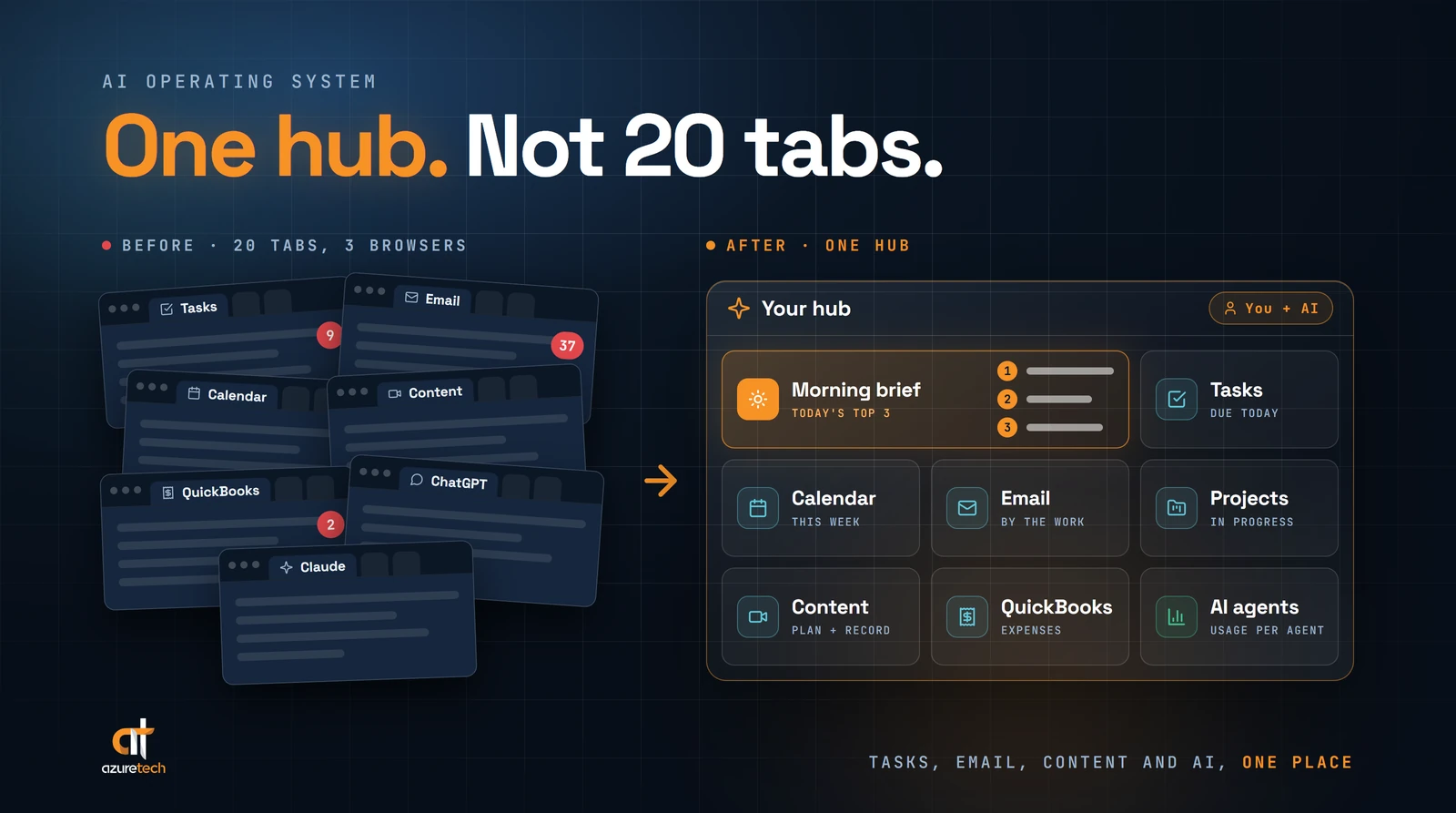
When I say "AI operating system," I mean one hub for running the day-to-day business: tasks, projects, email, calendar and AI assistance in one place. Not a replacement for Windows or macOS.
When most owners hear "operating system," they picture macOS or Windows. That's fair. It's what the words have meant for as long as most of us have owned a computer. So the natural follow-up question is whether they need to buy a new laptop. They don't.
Does a small business need one? If your workday is spread across more screens, tabs and apps than you can keep track of, it's worth a serious look. Here's how I ended up building mine, and what I'd tell an owner who is thinking about one.
What an AI Operating System Actually Is
Most people have either never heard the term or aren't sure what it means. That's not a knock on anyone. The name borrows from computers, so it sounds more technical than it is.
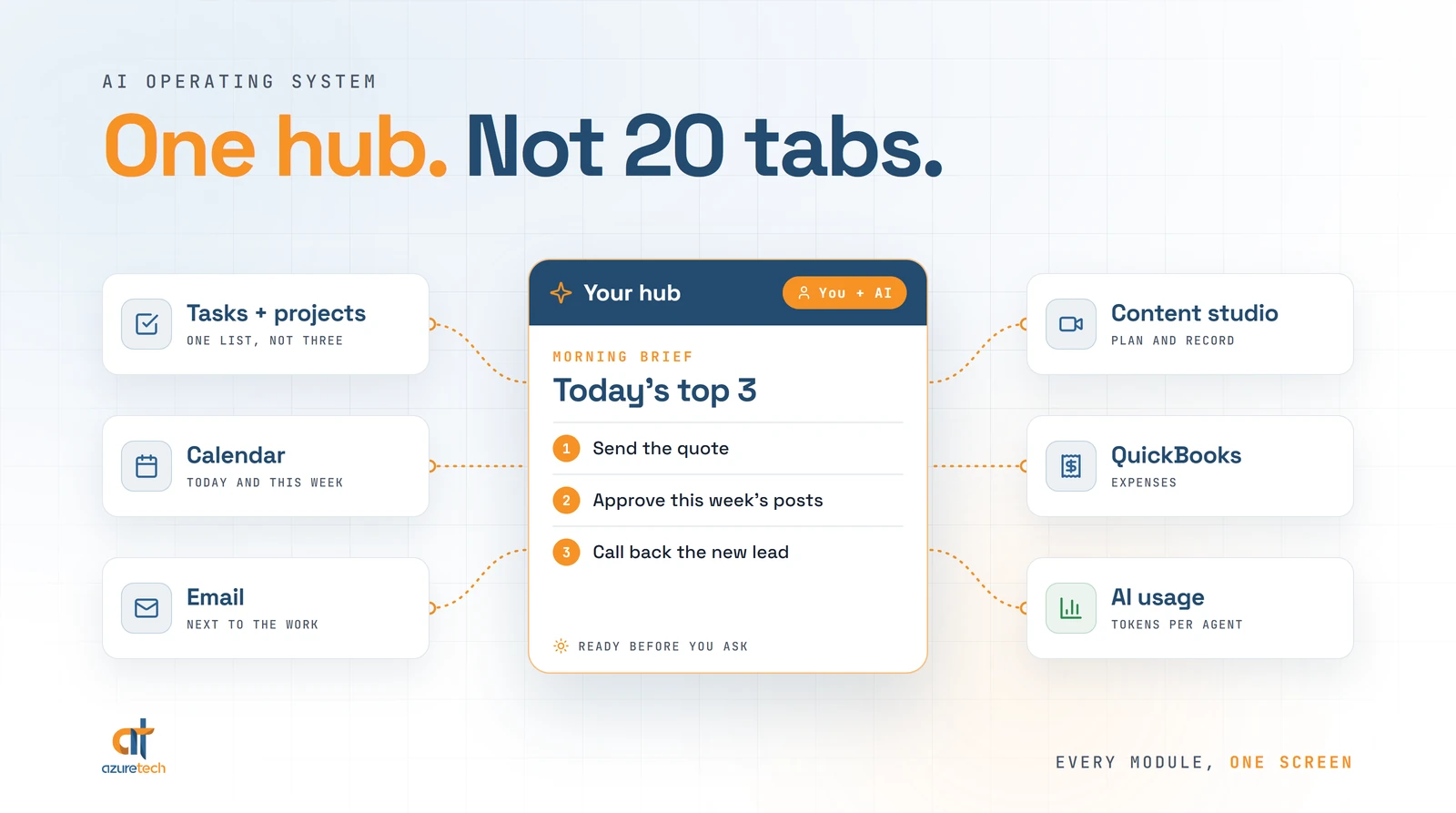
In practice, it's a hub. Instead of opening one app for tasks, another for email and a third for AI, you work from one place, and AI does a lot of the gathering for you.
How I Ended Up With Three Dashboards
I didn't plan to build an operating system. I built one dashboard for my projects and tasks. Then another for content creation. Then another.
Each one made sense on its own. Together, they had me switching tabs and windows all day.
At home, I work on three screens, so every dashboard got a monitor of its own. That setup is fine, as long as you never leave the house.
On the road, it's a different story. With a laptop, those three dashboards fight over one screen. On my Galaxy Z Fold, I'm flipping between browser tabs on a phone that folds in half. It's a great phone. It's still not three monitors.
So I combined them into one system. I called it AgenticOS, and it's where I run my day now.
What Lives in One Place Now
Here's what AgenticOS holds today:
- My tasks, projects and events, in one dashboard instead of three.
- Email and calendar, next to the work they're about.
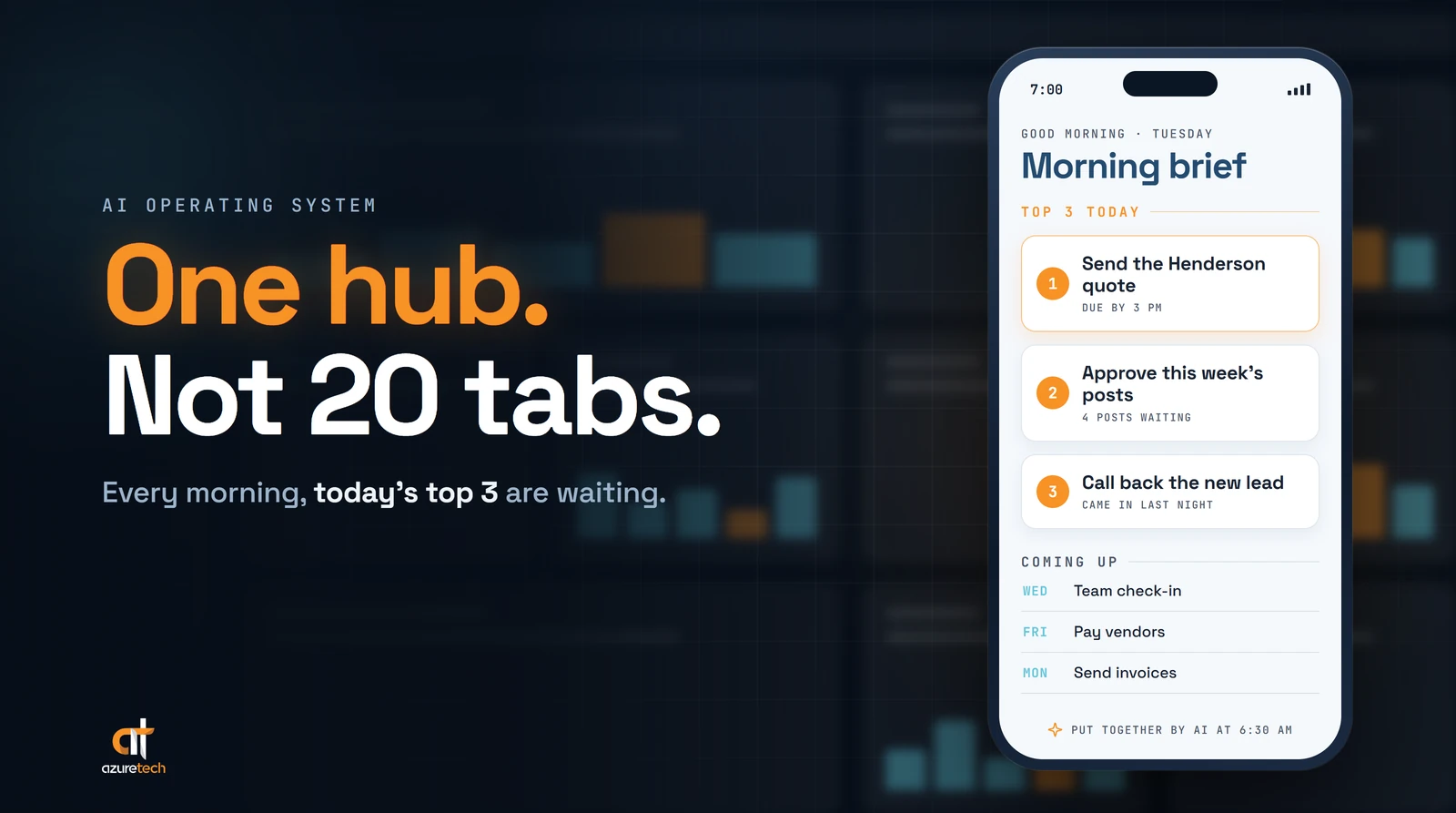
- A morning brief. Every morning it names the top 3 things I need to finish before the end of the day, plus what's waiting on my to-do list for the coming days.
- My content platform. I plan content for today, the week or the month, and it has a recording studio built in, so I can record straight from my computer.
- Expenses, because it's connected to QuickBooks.
- AI usage. I use several AI agents, and AgenticOS gives me a detailed view of the tokens (the units AI usage is measured in) each one is using.
With the brief, the day starts with an answer to "what matters today?" instead of a search for it.
The real payoff is focus. Before, my day looked like 20 tabs across three browsers and multiple AI agents, each one holding a piece of the picture. Now it's one stop for the day-to-day work.
Twenty tabs is less of a system and more of a scavenger hunt you run every morning.
The Advice I Don't Agree With
A lot of the AI advice aimed at business owners goes like this: start with Claude or ChatGPT, make it your main workspace, then add instructions and connections to your other software.
I see why that advice is popular. I just don't think it fits most owners.
Owners aren't all tech savvy, and they're definitely not all programmers. That's not a flaw. They have a business to run.
AI makes it easier to prototype your own tools. But a working prototype isn't the same as an app you can trust with customer information or daily operations. If you don't have development experience, bring in someone who can review security, permissions and reliability before you depend on it.
My advice is to bring your ideas to people who do this for a living. That can be a team of professionals or an in-house AI expert.
Building systems like this is part of what we do at Azuretech, so I have a stake in this conversation. My view is that owners should spend their time defining the problem, not debugging the solution. Ask a developer where AI can reduce the work, what still needs careful review, and what ongoing support will cost.
How to Tell If Your Business Needs One
You don't need an AI operating system because the term is popular. You might need one if your day looks like mine did. A few signs:
- You switch between tabs, windows and apps just to answer simple questions about your own business.
- You work from a laptop or a phone a lot, and the switching gets worse the smaller the screen gets.
- You use more than one AI assistant, and you lose track of which one is helping with what.
- Your morning starts with piecing the day together from your email, your calendar and your to-do list.
If most of that sounds familiar, here's how I'd think about starting.
Start with one hub, not another tool. The goal is fewer places to look. A fourth dashboard won't fix the problem the first three created.
Start from what you check every morning. Write down every app, inbox and report you open before you know what today looks like. That list is the first draft of your hub.
Keep a person in charge of decisions. AI can gather, sort and remind. You still decide what gets done, what gets approved and what goes out the door.
Three Prompts to Map Where Your Day Goes
Before you build anything, find out where your day actually goes. Paste any of these into ChatGPT, Claude or whichever AI assistant you already use:
- "Here's every app, website and inbox I open on a normal workday: [your list]. Group them by what I use each one for, and point out any two that do the same job."
- "Here's my day yesterday, as close to hour by hour as I can remember: [your notes]. Which tasks made me jump between tools, and which ones happen every single day?"
- "If I could look at only one screen at the start of each workday, which items from this list would need to be on it, and why? [your list]"
The answers won't build anything for you. They'll show you what your hub needs to hold, which is the most useful thing to know before you talk to anyone about building it.
Where to Go From Here
I didn't set out to build an operating system. I set out to stop flipping between browser tabs on a folding phone. The fix turned out to be one place for everything, with me still making the calls.
Your business may not need everything mine has. The opportunity is smaller and more practical than that: one place to see the work that matters, with AI doing the gathering.
Want to identify where AI and automation could save your business time? Take our free 2-minute automation assessment.
Azuretech helps South Florida businesses map their workflows and connect the tools they already use, with people staying in control of important decisions.